Skip to content
View in the app

A better way to browse. Learn more.

2002FAQ

A full-screen app on your home screen with push notifications, badges and more.

To install this app on iOS and iPadOS
  1. Tap the Share icon in Safari
  2. Scroll the menu and tap Add to Home Screen.
  3. Tap Add in the top-right corner.
To install this app on Android
  1. Tap the 3-dot menu (⋮) in the top-right corner of the browser.
  2. Tap Add to Home screen or Install app.
  3. Confirm by tapping Install.

SF Bay Area Neue Klasse and Kaffee

(1 review)

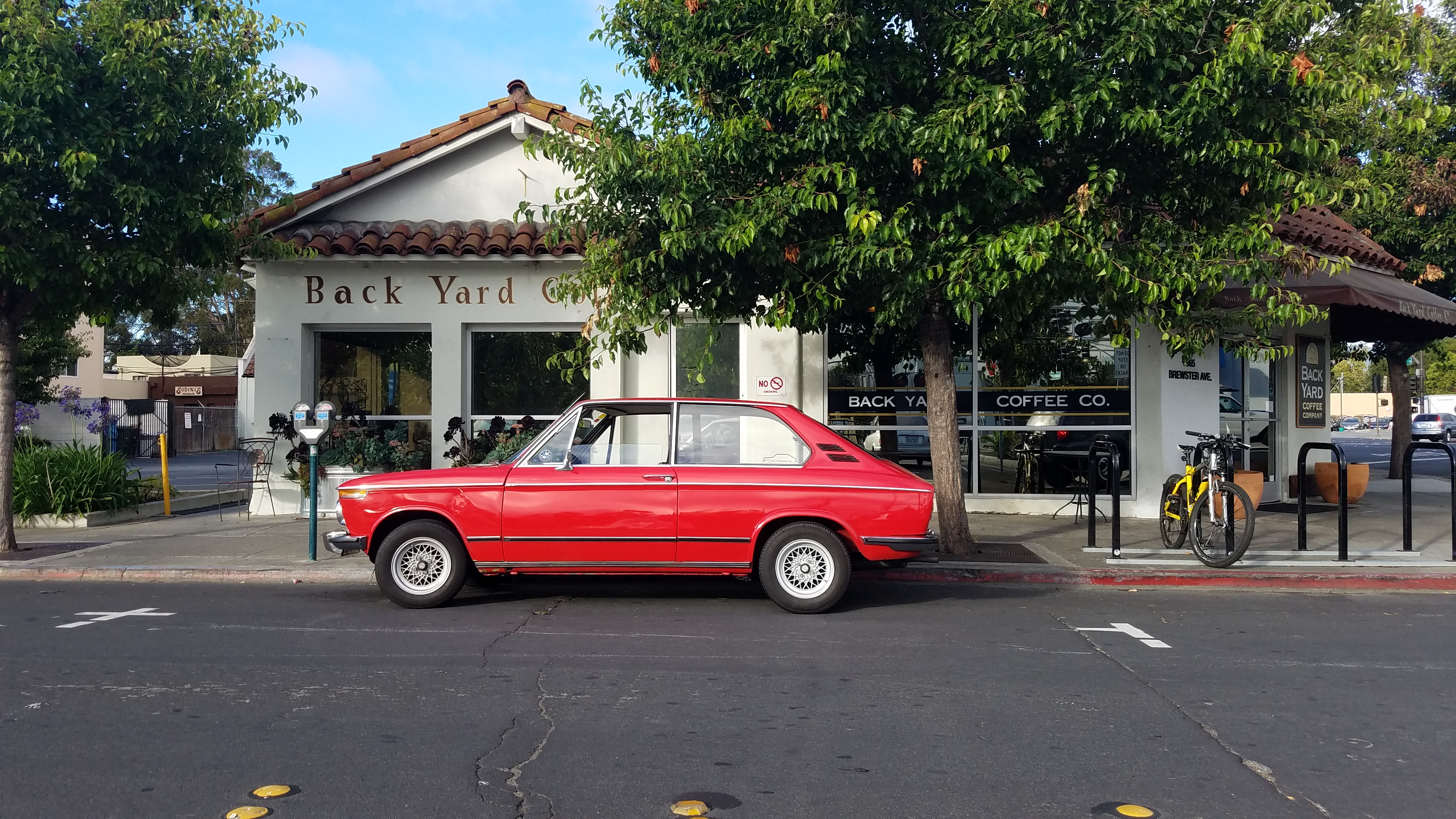
Back Yard Coffee Co. at 965 Brewster Ave. Redwood City, CA 


We will gather at Caltrain Parking lot just across the street from the coffee shop.  For those interested, Redwood City Farmers Market will be just across the railroad tracks. 

Please, RSVP in case i will need to block off some spots.


I will be there from 8am to 11am with some Donuts. Coffee will be available at Back Yard Coffee.


Photos from previous events:

20160820_090943_29136032125_o.jpg

20160709_091245_27914959800_o.jpg

20160709_091242_27914964990_o.jpg

20160709_081408_28091051192_o.jpg

received_10208317597275216_27544268643_o.jpg

received_10208317733518622_27543725064_o.jpg


CC-Canepa-14.jpg

User Feedback


if all the local guys come out - it will be so awesome


Account

Navigation

Search

Search

Configure browser push notifications

Chrome (Android)
  1. Tap the lock icon next to the address bar.
  2. Tap Permissions → Notifications.
  3. Adjust your preference.
Chrome (Desktop)
  1. Click the padlock icon in the address bar.
  2. Select Site settings.
  3. Find Notifications and adjust your preference.