Skip to content
View in the app

A better way to browse. Learn more.

2002FAQ

A full-screen app on your home screen with push notifications, badges and more.

To install this app on iOS and iPadOS
  1. Tap the Share icon in Safari
  2. Scroll the menu and tap Add to Home Screen.
  3. Tap Add in the top-right corner.
To install this app on Android
  1. Tap the 3-dot menu (⋮) in the top-right corner of the browser.
  2. Tap Add to Home screen or Install app.
  3. Confirm by tapping Install.

Not the 49-Mile Drive-2021

(1 review)

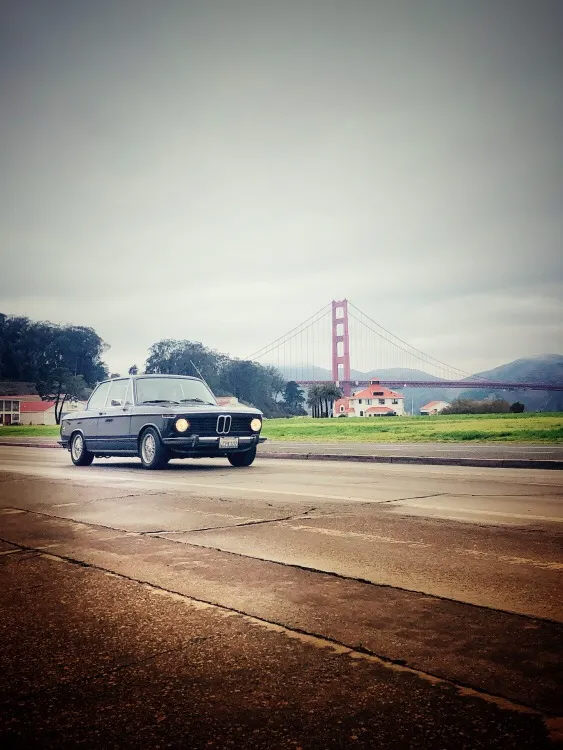
Not the 49 Mile Drive, BayArea 02's annual rally, comes to San Francisco again on December 11 (2nd Saturday in December).  Watch this space for more event details as Rallymeister Pete Petras develops the route.  Last year, meeting at the Presidio worked well so we might well gather there (it depends somewhat on construction at the parade grounds).

For the latest details and DOWNLOAD the documents, look at : NT49MD-21 more details


Please see event photos at [BayArea 02 NT49MD-2021 photo gallery].

Edited by layers
add link for more details

User Feedback

Account

Navigation

Search

Search

Configure browser push notifications

Chrome (Android)
  1. Tap the lock icon next to the address bar.
  2. Tap Permissions → Notifications.
  3. Adjust your preference.
Chrome (Desktop)
  1. Click the padlock icon in the address bar.
  2. Select Site settings.
  3. Find Notifications and adjust your preference.